Device Licensing
rWeb manages licenses for all filter devices controlled by it. Licenses will enable or restrict functionality depending on the type of license provided for your device. You can reach this page by going to Administration->Devices, selecting your device, then click on the Licensing tab.
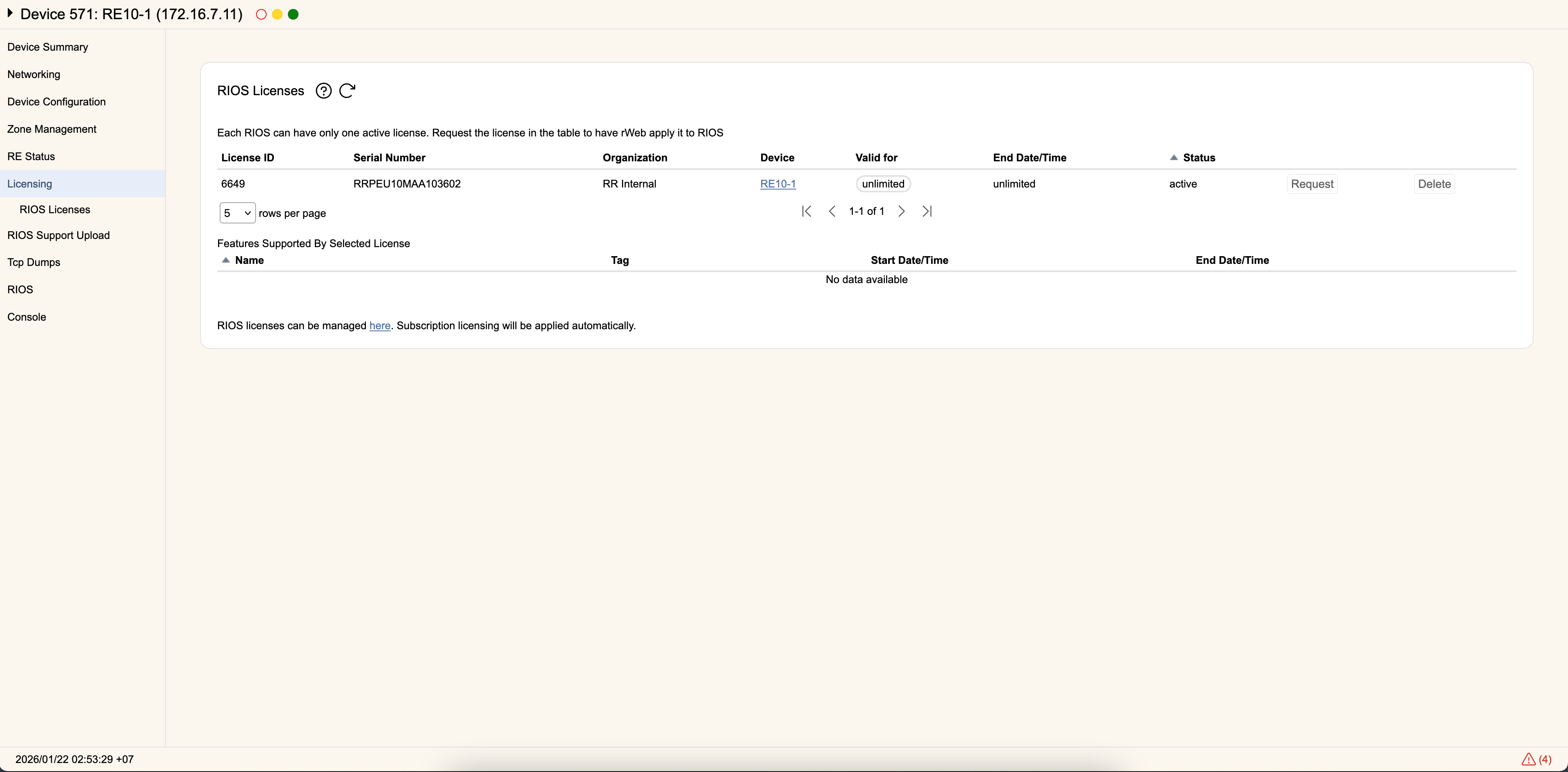
Device Licenses
Each filter device can only have one license active at a time. The list of licenses available for a given device will be listed under Device Licenses. Overall management of licenses is done through rWeb's administrative page dedicated to licensing.
Each license has a License ID, Serial Number of the device, an Organization whom the license was originally created for, the Device name in rWeb (which is a link to the device's license tab), Valid For which shows the remaining time the license is valid for, End Date/Time showing the actual end date of the license, and the current Status of the license.
The license can be Active, Available, or Requested. The Active license is the one currently loaded on the device. Available licenses are ones that are uploaded to rWeb that can be sent to this device. Requested licenses are ones being actively sent to the filter device when you click on Request.
You can also remove unused or expired licenses by selecting them and clicking Delete. You will not be able to Delete the Active license.
You can see the features supported by the active license in the section below all available licenses:
- filter- The device can actively filter traffic. If there is an end date listed (besides never), once past this end date the device can only monitor traffic.
- port- The device can utilize a port. On a multi-port device like the RS30, if only one or two ports are listed those are the only ports that will function. If all, all ports will function. If there is an end date listed (besides never), once past this end date the port will be non-functional.
- rios- The device's core engine is authorized. If there is an end date listed (besides never), once past this end date the device will need a new license.
- software- The device can load RioRey software extensions. If there is an end date listed (besides never), once past this end date the device will not be able to load RioRey software expansion modules.
- support- The device is registered with RioRey Support. Once past the end date you will need to renew your license to receive full 24x7 support from RioRey.
- upgrade- The device is allowed to upgrade its version of RIOS. Once past the end date you will need to renew your license to upgrade to future versions of RIOS.
Devices that load a license file which doesn't have a 'rios' element specified will default to a 'rios' line with no Start Date and "Never" for End Date when the license is made Active on the device.
This will not affect your devices or other licenses in any way. It is simply the default value that becomes represented once the device loads a license for active use.