AS and CC Lookups
rWeb has an internal database that maintains information about Autonomous Systems (AS) and Country Code (CC) lookups. RioRey regularly receives updates for this database and provides it as helpful tool to users seeking to identify sources of malicious activity.
You can reach this page by going to Administration->Global Mitigation in the top right menu, then clicking on the AS and CC tab, or by clicking on the AS or CC displayed with a source IP on the mitigation tab of a zone.
rWeb VMs using this feature must meet our "recommended" requirements.
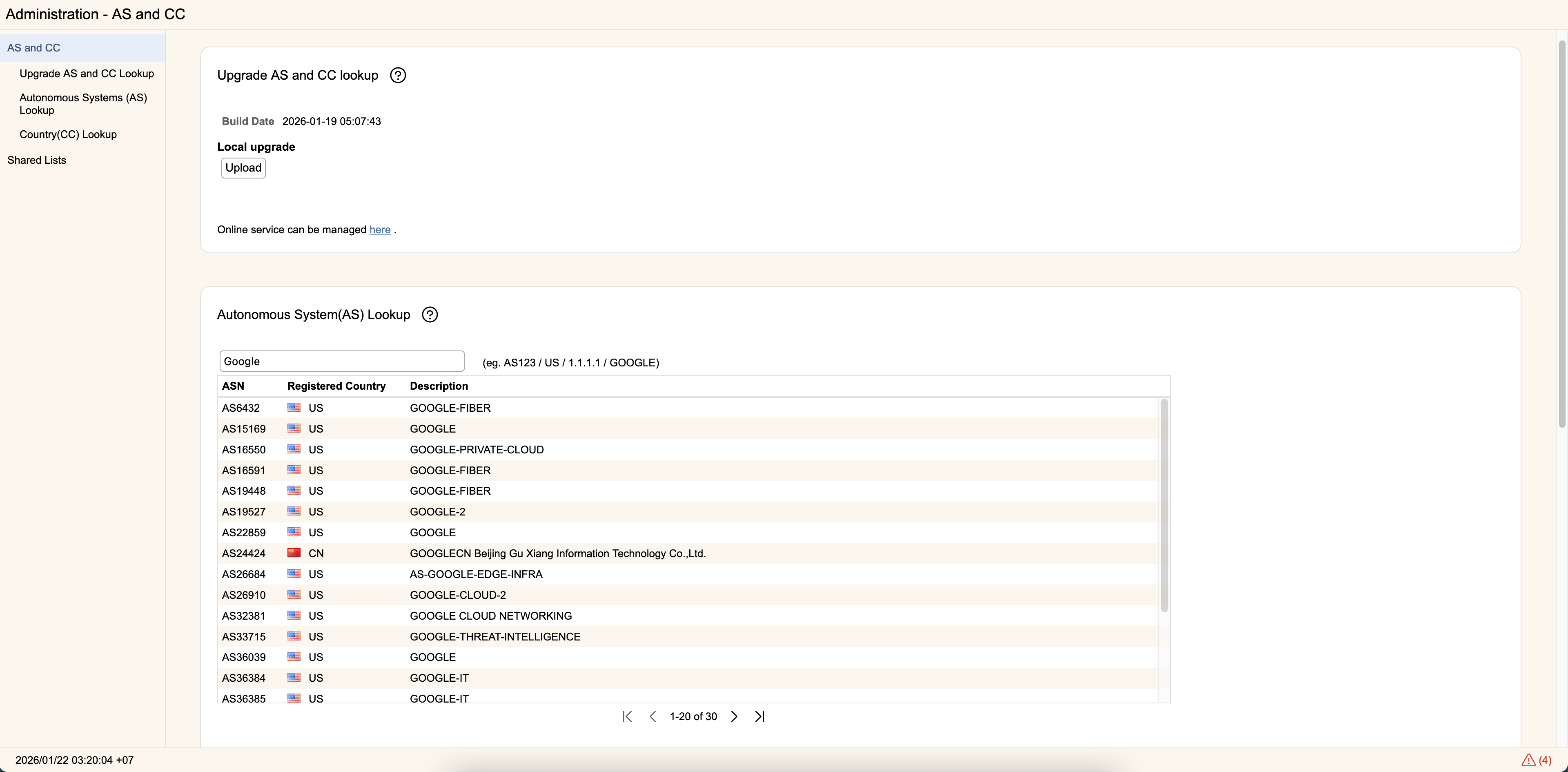
Upgrade AS and CC Lookup
Updates to the AS and CC database are regularly posted to the "Downloads- AS/CC Files" section in RioRey's Customer Portal. If you have downloaded a recent update, you can click Upgrade Lookup Table to upload it to rWeb.
Starting in rWeb 9.0, you can also automatically update these definitions using Online Service.
Autonomous System (AS) Lookup
This section will display the Autonomous System Number (ASN), registered country, and owning entity description of the results matching your search.
You can search by ASN, Country Code, specific IP address, or text that might match the description of the owning entity. The image above shows the results of looking for "google".
Country (CC) Lookup
This section displays the Country Code (CC) and country name associated with that code as established by ISO.
As with AS Lookup, you can search by ASN, Country Code, specific IP address, or text that might match the description of the owning entity.