Mitigation Config Tab
Overview
In rWeb, mitigation is managed on a per zone basis. The Mitigation tab is where the user can tune mitigation settings for the specified zone. In order to change mitigation settings, a user requires write permissions for Mitigation Config.
By default, new Zones are created using RioRey's default Template with our recommended settings for the primary 25 Attack Types (AT) and their associated algorithmic settings. This page can be used to individually change the settings for each algorithm, enforce global changes for the zone, swap between templated sets of configuration, or set up special case configurations such as Allow and Block Lists or running a packet capture.
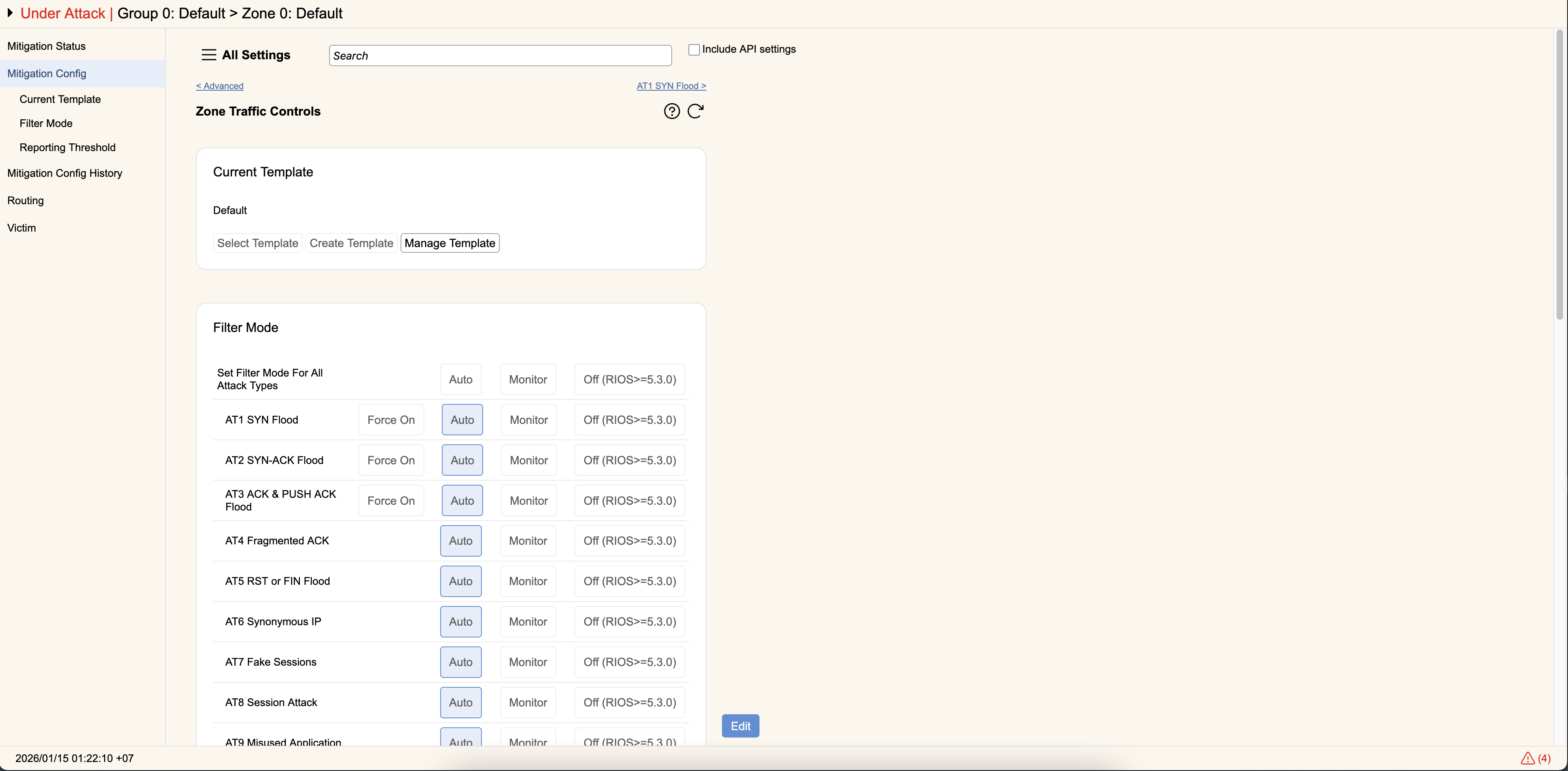
Navigation
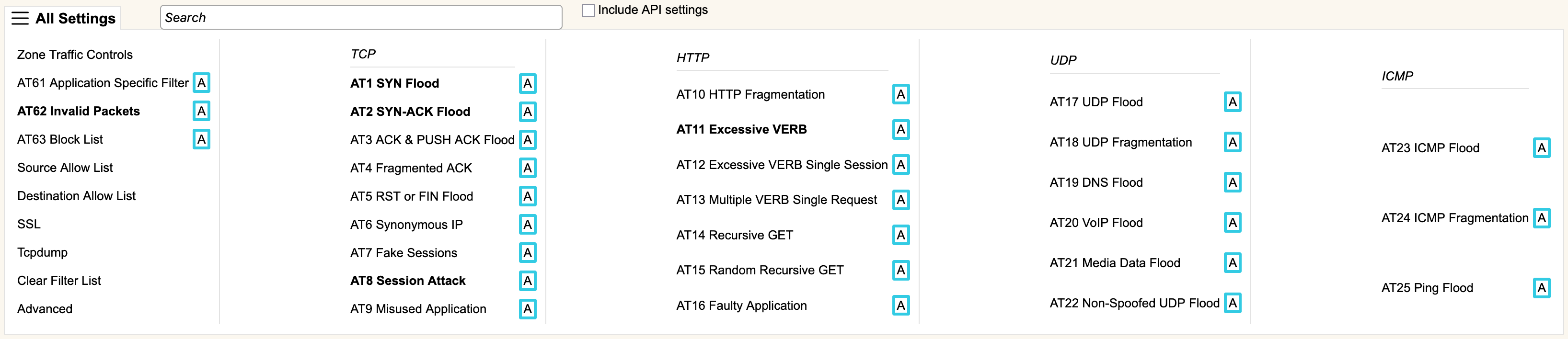
The top section contains a three-bar menu icon labeled All Settings. Clicking this bar opens up an expanded menu showing all of RioRey's 25 Attack Types and other settings that can be configured. Alternatively, you can search for the wording used in specific controls by using the Search bar. Checking the Include API settings box means the search will also look for the specific string used in the zone configuration API. The search will then show the AT and UI element utilizing that control. There are also two links that will cycle to the previous or next configuration.
Any configurations that have a change from the Zone's current template will cause the heading of the control to be shown in bold. For each of the Attack Types, it will also show you its currently selected mode (see Controls below) with an icon/letter (blue 'A' for Auto, yellow 'M' for monitor, grey 'O' for Off, and red 'F' for Force On in AT1/AT2/AT3).
Controls
Each individual control is detailed below. Broadly speaking, RioRey's 25 Attack Types (AT) and their accompanying algorithms can be classified by their underlying protocol: TCP, UDP, ICMP, or HTTP. Additionally, there are more controls to allow things such as allow or block listing traffic, configuring regexes, starting packet captures, or more general rule based configuration of allowed traffic.
All Attack Types have two concepts common across all of their controls:
- Each AT can be configured independently for different levels of notification thresholds.
- Each AT can be configured for a different filtering mode. These can be configured independently, or set all at once across the zone using zone traffic controls:
- Auto- In this mode, the algorithm works according to its current settings, and if it detects an attack will automatically drop it.
- Monitor- In this mode, the algorithm works according to its current settings, and if it detects an attack it will record there is an ongoing attack but it will not drop any traffic.
- Off- In this mode, the algorithm is disabled and it performs no analysis on traffic. If all algorithms are set to "off" this effectively forwards all traffic automatically.
Control Groups
- General
- TCP Based
- TCP-HTTP Based
- UDP Based
- ICMP Based