Zone Victim Thresholds and Notifications
Each zone has Victim Thresholds & Notifications configuration information for each individual attack type on the Mitigation Config Tab.
Victim Display Settings
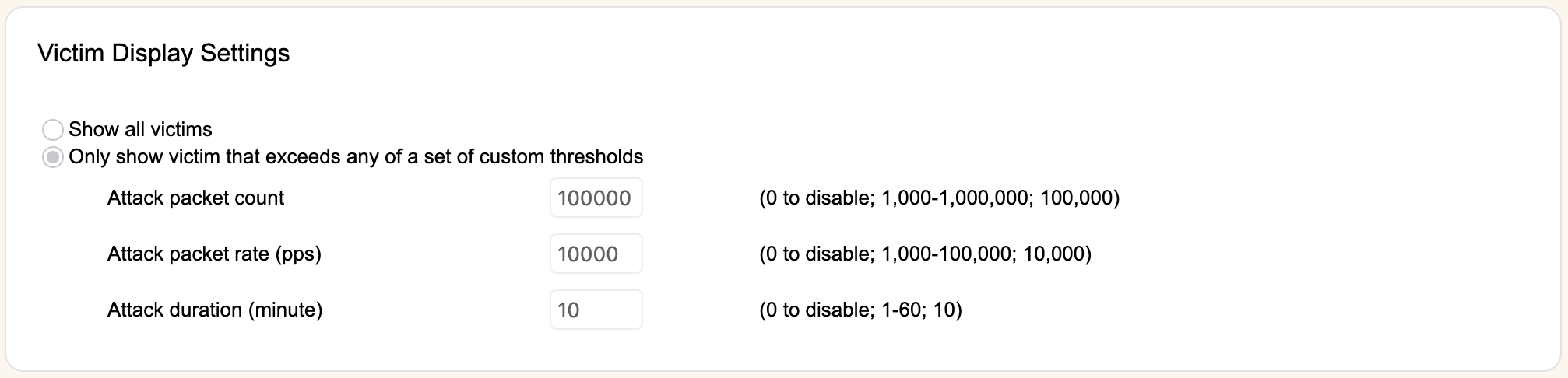
These settings limit what victims are displayed for each Attack Type in the Victims Summary on the Mitigation Status tab. You can choose to display all victims using Show all victims, or only victims who exceed any of a set of custom thresholds. Entering 0 for any option will disable that criteria independently of the other other two options.
AT63 Addendum
Currently AT63 also has an additional option (Report victim only if attack packets is more than X, where X is between 0 - 100,000 and defaults to 10). This is the same option detailed on the victims page, but as opposed to having to write this value as an advanced configuration you can manipulate it directly here. This was added directly to AT63 as block list rules are always user generated, and excessive noisiness of reporting is unhelpful for traffic strictly declared as bad.
Victim Email/Syslog Notification Settings

You can choose to send email and syslog notifcations to the group's Victim Notifications list independently of how they are displayed on the Mitigation Status Tab.
- Suppress notification for this attack type- If selected, no emails or syslog will be sent for this attack type, regardless of the criteria selected.
- From a separate set of three options:
- Send notifcation for all victims- Any victims detected for this attack type will generate an email and syslog event.
- Apply the same rules as Victim Display Settings- This mirrors the display settings. Any victim displayed in rWeb will also generate an email and syslog notification.
- Send notification if a victim exceeds any of a set of custom thresholds- This option creates another set of thresholds identical to the ones available in Victim Display Settings for separate configuration. Victims exceeding this separate set of thresholds will generate an email and syslog notification.