Licensing Management
rWeb manages licenses for itself and all filter devices controlled by it. Licenses will enable or restrict functionality depending on the type of license provided for your device. You can reach this page by going to Administration->rWeb, then clicking on the Licensing tab.
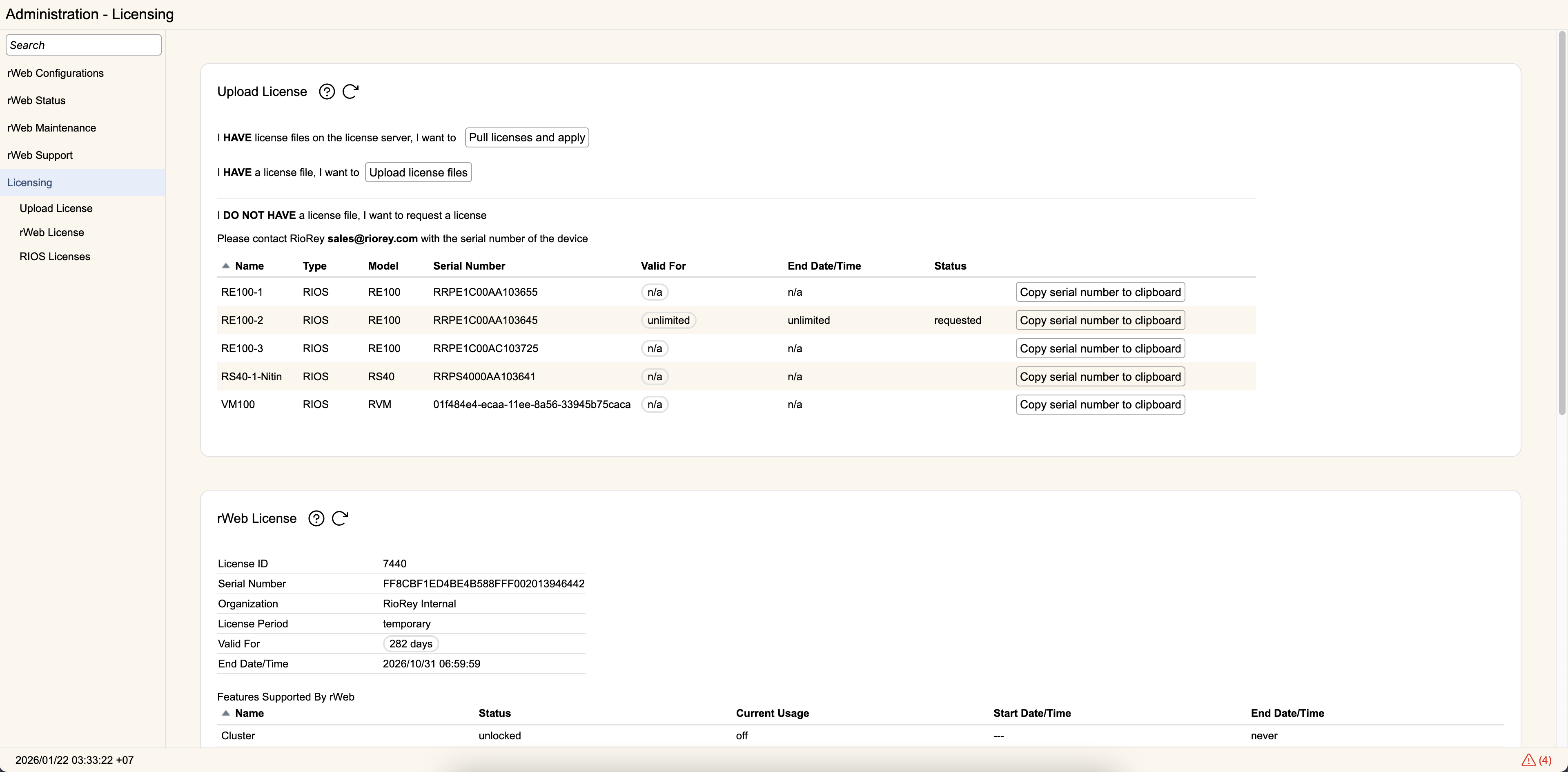
Upload License
For rWebs with subscription licenses, manual uploads of license files are not allowed. Instead, rWeb will communicate with RioRey's online server to receive license files. rWeb will check in automatically on a daily basis, but if you had license issues or needed help from support you can manually sync with the licensing server by clicking Pull licenses and apply.
rWebs with perpetual licenses can also request licenses from the license server, but also have a the option of uploading licenses directly. When you receive a license file from RioRey, you can upload it here by clicking the Upload License button. You can select one or more license files.
Once selected, a list of the licenses will be shown with a progress bar for each one showing the status of each license's upload. Once complete, you can click the "X" to remove each progress bar individually or hit Clear to remove them all at once.
rWeb License
This section shows the current licensing information for your Web. rWeb Licenses have the following descriptive fields displayed:
- A License ID
- Serial Number indicating the rWeb that license was created for
- An Organization whom the license was originally created for
- License Period indicating the time period the license is applicable for. This will either by perpetual, temporary, or subscription
- Valid for indicating how much longer until the next rWeb feature expires (more on features below)
- End Date/Time showing the actual expiration date of the expiring feature
rWeb licenses also include a number of fields to track what features are enabled for rWeb, and the current utilization of those features:
- Cluster- If unlocked, allows you to enable clustering with a secondary rWeb for HA/DR purposes
- Portal- If unlocked, allows you to use rWeb as a web portal, with partitioned users for groups and customization for rWeb. Locked rWebs can only add users for the Default Group and can only use the RioRey logos and branding
- Support- Support from RioRey expires on this end date
- Upgrade- rWeb can only upgrade to versions released prior to this end date
- rWeb- The core functionality for rWeb. If this expires, rWeb will automatically disconnect from all RIOS filter devices and you will no longer be able to see active traffic reporting from filter devices, though you will still be able to log into rWeb and observe any historical data
- Device, User, and Zone Usage- Each of these is an upper limit on the number of devices, users, and zones that can be configured in rWeb.
RIOS Licenses
Each filter device can only have one license active at a time. The list of licenses uploaded to rWeb and available for loading on devices will be listed under Licenses.
Each license has the following:
- A License ID
- Serial Number indicating the device that license was created for
- An Organization whom the license was originally created for
- The Device name (if it is currently managed by rWeb, and if reachable will link you to that device's license tab)
- Valid for indicating how much longer until the next RIOS feature expires (more on features below)
- End Date/Time showing the actual expiration date of the expiring feature
- The current Status of the license
The license can be Active, Available, or Requested. The Active license is the one currently loaded on the device. Available licenses are ones that are uploaded to rWeb that can be sent to the device with the Serial Number listed. Requested licenses are ones being actively sent to the filter device when you click on Request.
You can also remove unused or expired licenses by selecting them and clicking Delete. You will not be able to Delete the Active license for any device.
You can see the features supported by the active license in the section below all available licenses:
- filter- The device can actively filter traffic. If there is an end date listed (besides never), once past this end date the device can only monitor traffic.
- port- The device can utilize a port. On a multi-port device like the RS40, if only one or two ports are listed those are the only ports that will function. If all, all ports will function. If there is an end date listed (besides never), once past this end date the port will be non-functional.
- rios- The device's core engine is authorized. If there is an end date listed (besides never), once past this end date the device will need a new license.
- software- The device can load RioRey software extensions. If there is an end date listed (besides never), once past this end date the device will not be able to load RioRey software expansion modules.
- support- The device is registered with RioRey Support. Once past the end date you will need to renew your license to receive support from RioRey.
- upgrade- The device is allowed to upgrade its version of RIOS. Once past the end date you will need to renew your license to upgrade to future versions of RIOS.
Devices that load a license file which doesn't have a 'rios' element specified will default to a 'rios' line with no Start Date and "Never" for End Date when the license is made Active on the device. This will not affect your devices or other licenses in any way. It is simply the default value that becomes represented once the device loads a license for active use.