Templates
Within a group, you can create templates that can be applied to single zones, or groups of zones.
The system Default Group / Default Template will always be accessible and cannot be deleted.
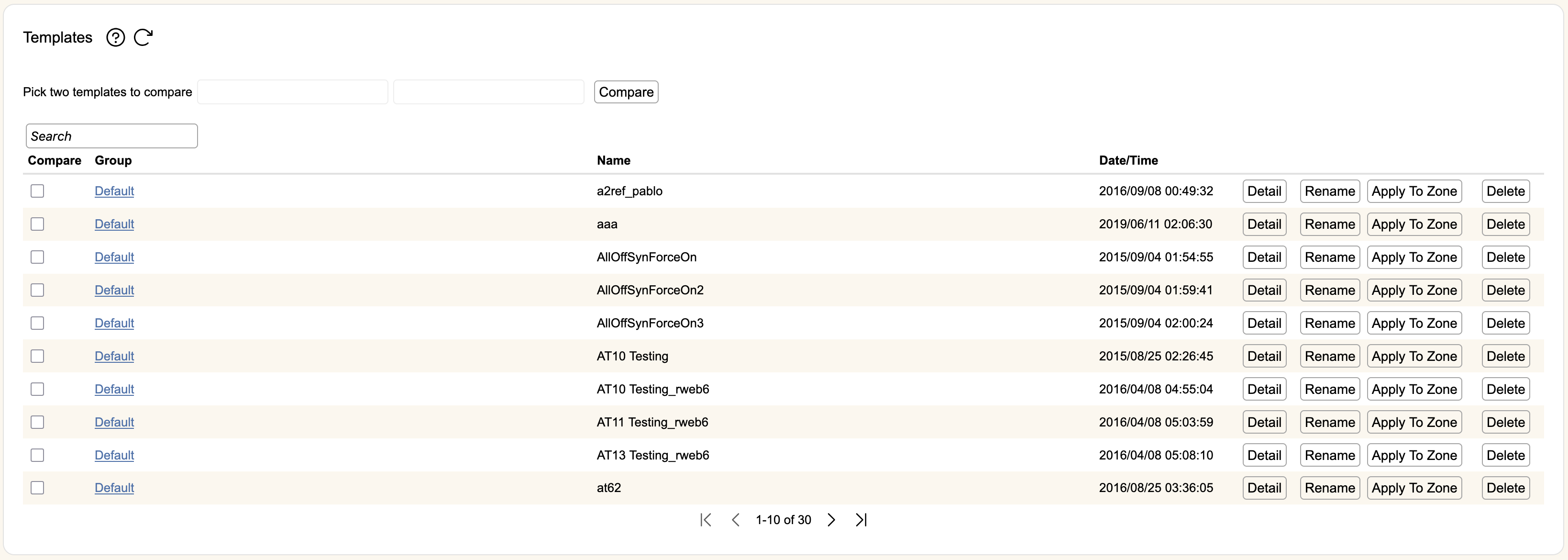
When you create a template within a zone, it is visible to the owning group plus any children groups. A template created in the Default zone will be accessible to all groups automatically.
When multiple templates are available, you can search to compare using the search bars on the top of the screen, or select their check boxes, then hit Compare. This will show the differences between the templates.
The table on the screen will show all templates available to the currently selected group. The Search bar lets you filter templates quickly.
Each row will show the template's owning group, the template name, the date and time the template was created, and a few buttons.
Clicking Detail will show the full set of mitigation controls for the template. Hit Edit to change the template name. Hit **Delete **to remove the template.
The mitigation controls in templates themselves, once created, cannot be edited. If you need to make changes to a template, use that template as a starting point, make changes, then save it as a new template.
Applying Templates to Zones
If you click Apply to Zone, a new table will appear of all children groups and zones under the current group.
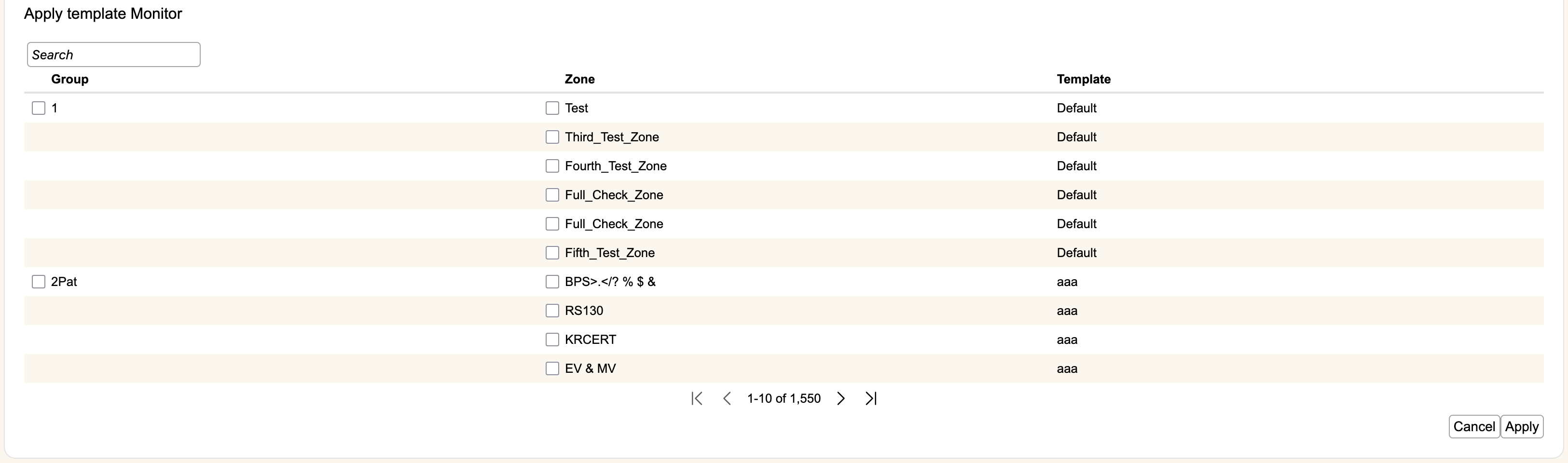
The table will show the owning Group, the Zone, and the current Template that is applied to that zone. The Search bar will filter the table by the search term (searches each column).
Clicking the check box next to a Group name will automatically select all children zones for that group. Clicking the checkbox next to a Zone name will select that zone only.
Once you have selected your set of zones, click Apply to apply the selected template to all of the currently selected zones. This will only apply to the visible set of zones. If a group contains more than ten zones you will need to go to the next page to apply the templates to the remainder.
Clicking Cancel will remove this table and not make any settings changes.