Historical Alerts
The Historical Alerts page lets you view a table of all generated alerts.
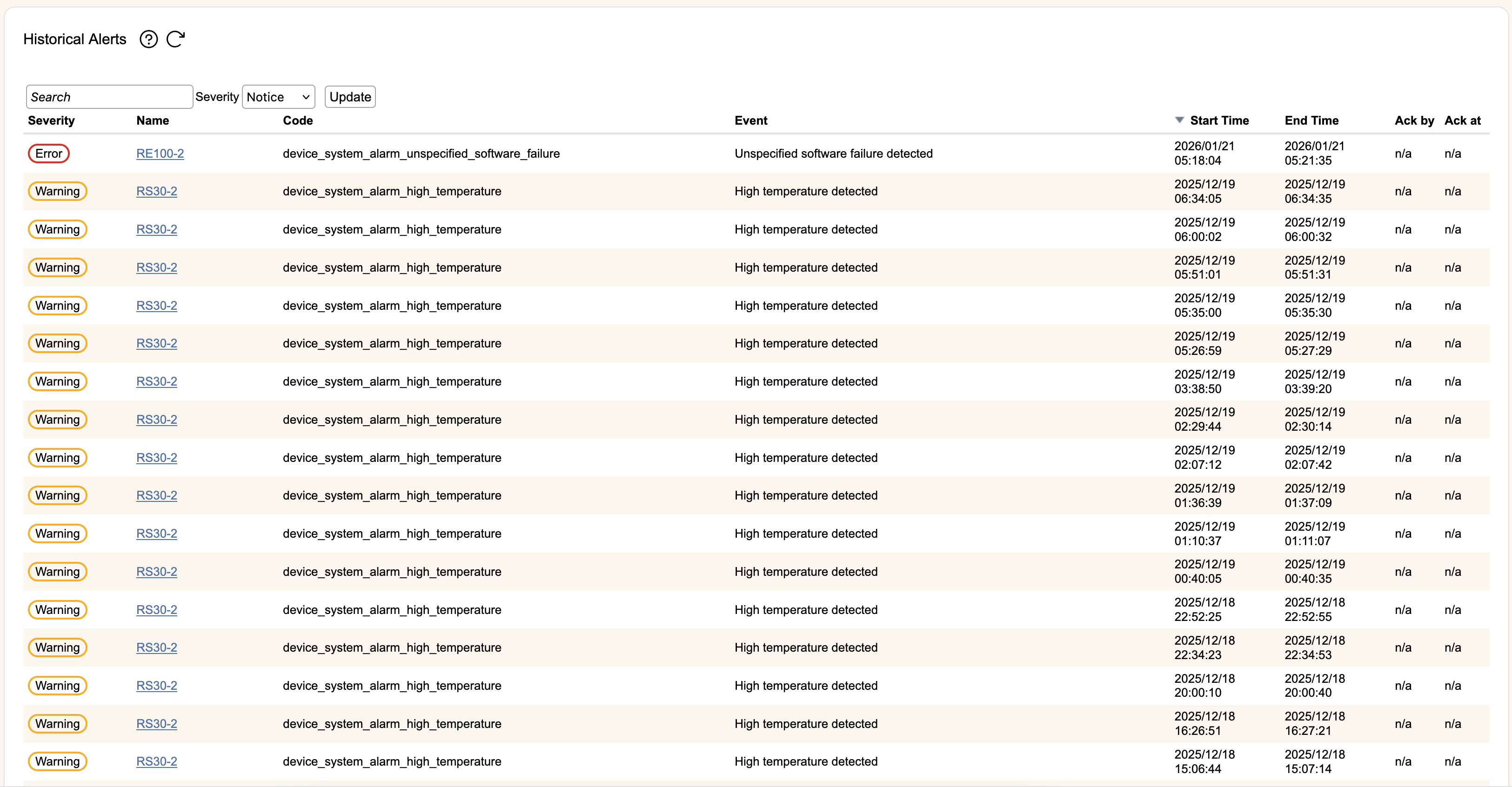
Each row in the table is one alert, with the following information:
- Severity- This will either be notice (informational alert that does not impact operations), warning (alert that has the potential to impact operations), or error (an alert about something that is currently impacting operations).
- Name- The name of the device that generated the alert. Clicking the hyperlink will take you the relevant screen that is associated with that alert (e.g. the licensing tab for device license errors).
- Code- The specific code representing the alert.
- Event- User friendly description of the alert code.
- Start Time- The date and time the alert was generated.
- End Time- The date and time the alert was ended. Alerts that are still active will have an end time of "ongoing".
- Ack by- If a user acknowledged the alert, the username will be listed here.
- Act at- If a user acknowledged the alert, the time of acknowledgement will be shown here.