Device Configuration
Go to Administration in the Top Menu > Devices
Highlight the device entry in the Device list and click Select. This will take you to the device page to manage the selected device. On the device page, the selected device IP (or hostname, if DNS was configured during installation) is displayed in the omnibar for user reference. Select the Device Configuration tab.
Change Password
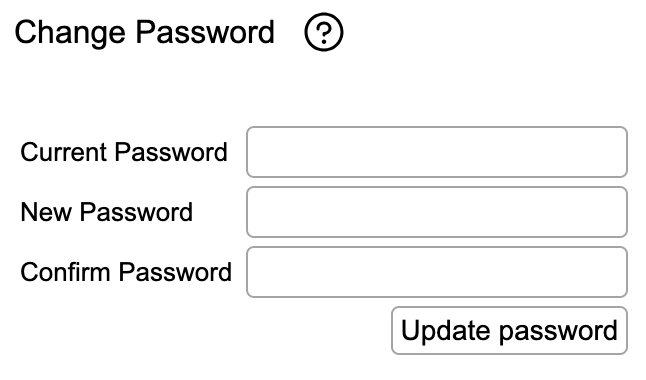
In the Change Password section, change the administrator password upon initial configuration to maintain security. rWeb only maintains one account type (Admin).
The default password is admin123.
Date Time
rWeb requires NTP servers to time synchronize events between multiple RioRey filtering devices. rWeb maintains data in only UTC time. This allows for easier management of a network touching different time zones. When viewing data and/or using tools, rWeb can display in a different selected timezone (in either reports or in the UI)
The Date Time section allows the user to input NTP server IP addresses used by this RIOS device. The user has the option to keep the two RioRey time server IP default settings or configure their own time servers. NTP uses UDP port 123.
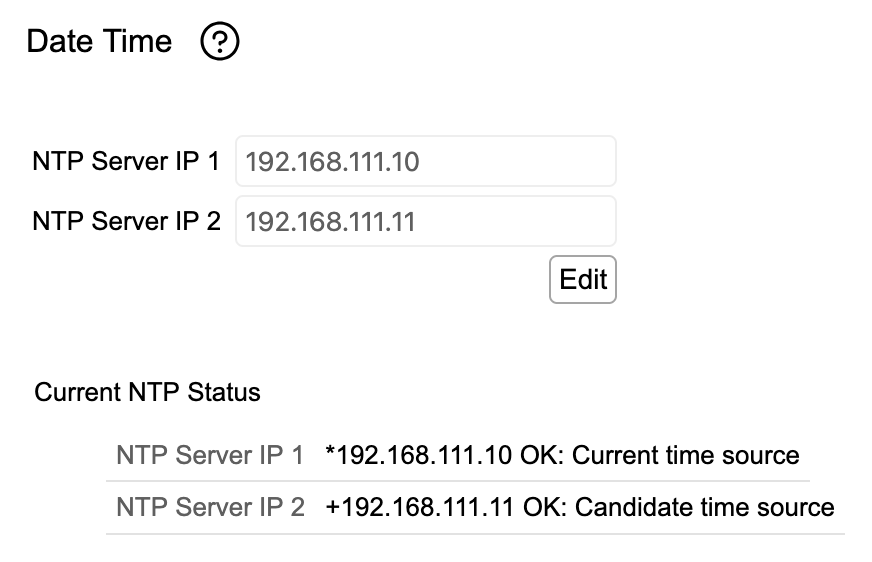
Default Settings for NTP:
- NTP 1: 71.163.122.141
- NTP 2: 194.58.204.148
The Current NTP Status of both servers will be displayed to show which server is acting as the current time source and the status of the connection to the NTP server.
We highly recommend maintaining your own internal NTP servers. Most NTP services are supported, however in the case of Microsoft NTP please be aware that they don't recommend it for precision timekeeping and depending on its configuration, it may not behave as a proper time server. Please see this article for more information: http://support.microsoft.com/kb/939322
Syslog Server
The Syslog Server section allows the user to configure the RioRey device to send syslog messages and alerts up to two (2) remote sysloggers via default port UDP-514. This function is enabled by default. The user must re-configure the settings according to your network requirements.
The Syslog Server only supports UDP; TCP Syslog is not available.
Messages sent to Syslog
- System up, version and serial number
- Internal errors categorized into Emergency, Alert, Critical, Error, Warning, and Notice errors
- Attacks
- Hardware failure: fan, power source, temperature
- Resource errors: low memory, low disk space
- Configuration changes – generic
- Configuration changes – interface
Syslog Headers
Syslog messages will have the following headers:
- %SYS-HARDWARE: System monitor messages for temperature, fans etc.
- %SYS-POWER: System monitor messages for power subsystem.
- %RR-MANAGER: DDoS related messages.
- %INTERFACE: All ports/interface logs.
- %SYS-CONFIG: Management configuration logs.
Syslog Configuration
The syslog server default port UDP-514 is enabled by default. The user must manually enter the Syslog Server IP(s) of their choosing to specify the remote sysloggers to which syslog messages are sent. If more than two sysloggers are needed, use an external relay to broadcast the messages. RioRey’s syslog conforms with RFC 3164.
Port Alias
Port Alias lets you set a display name for device interfaces that will be shown on other screens in rWeb.
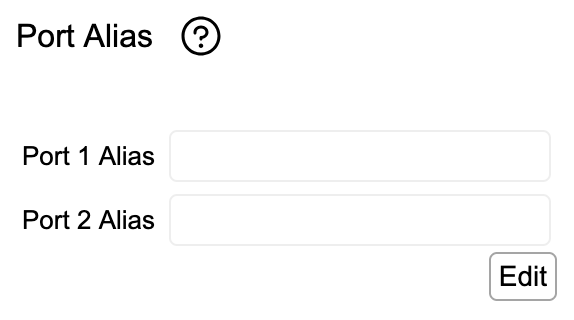
Hit Edit to unlock the text boxes for each of the filter device's ports. You can enter any descriptive name for that interface that you want. When done, hit Save.
The Port Alias will be shown on the device summary, networking, individual status tab (device specific), and the Interface Stats page.
SNMP Config
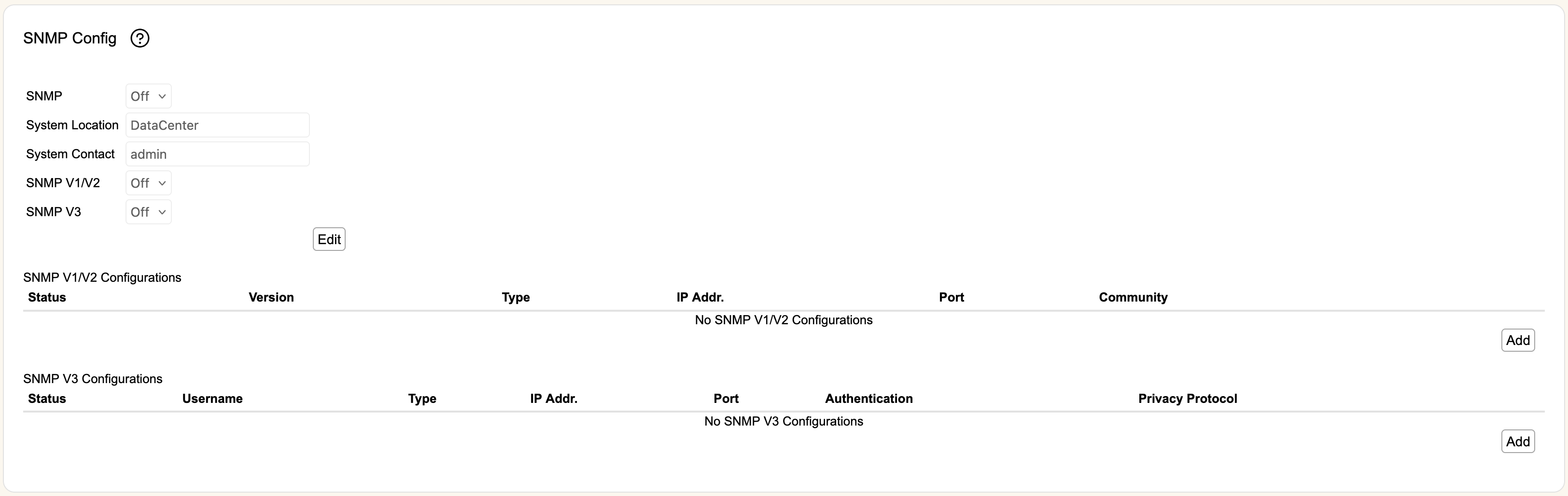
The SNMP Config screen allows the user to configure SNMP (Simple Network Management Protocol). SNMP is the network management protocol used to monitor and control network devices and to manage network configurations, data collection, performance and security. SNMP reported events are sent through SNMP Traps from the RioRey device. The SNMP service is enabled by default and the user has the option keep the default settings or configure the settings manually.
The user may configure the SNMP service by entering a valid Manager IP to allow SNMP data on the RioRey device through port UDP-161. The default SNMP Trap port is UDP-162.
Each configuration will allow an SNMP manager at the listed IP address to make queries using the specified SNMP version and query type.
IPFIX/PSAMP
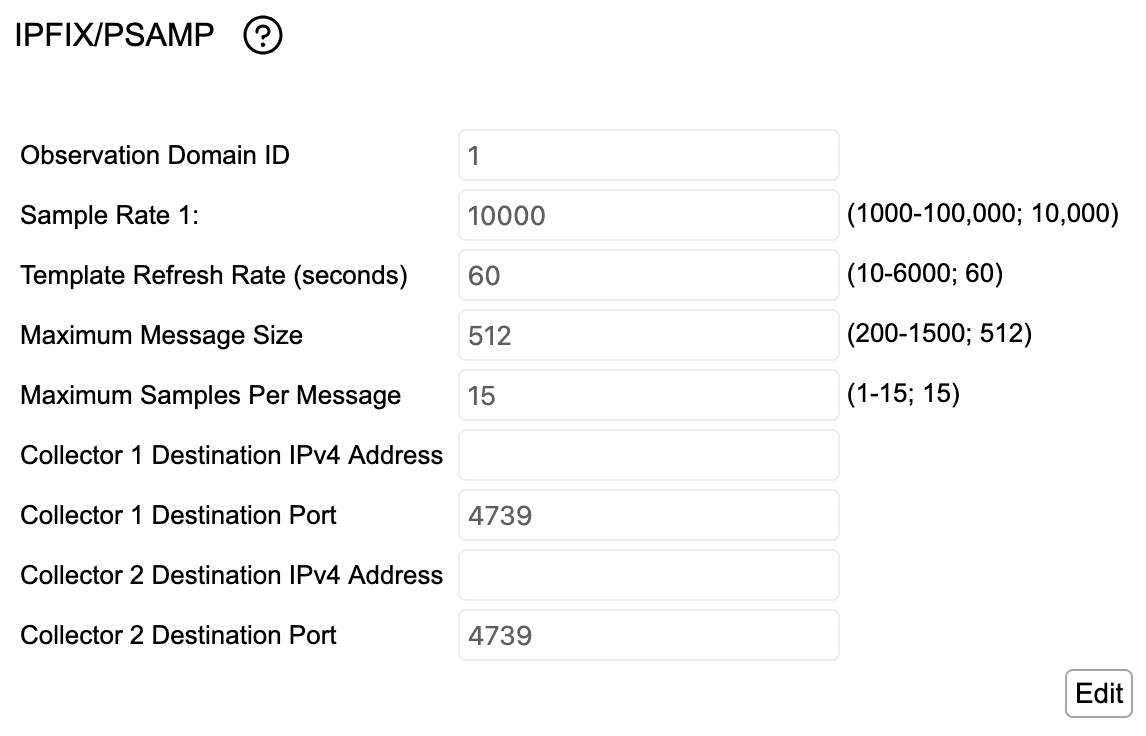
rCloud Enabled devices can be configured to send PSAMP (packet samples) using UDP IPFIX to designated collectors (like Director). Samples are collected from the device's enabled upstream ports and sent to up to two different collectors.
- Observation Domain ID- This setting adjusts the Observation Domain ID that is sent in the IPFIX message. The lower 24 bits will be the lower 23 bits of the rWeb's management port mac address, with bit 24 always set to 1. These will be merged with the 8 bit value specified in this control shifted left to the high bits of the sent Domain ID. The default value is 1.
- Sample Rate 1- This setting changes how often a sample is generated. By default this will be 1 in every 10,000 packets. This information is also sent to the collector as an Options Template Record.
- Template Refresh rate (seconds)- In order to process IPFIX data, a collector needs to receive a Template Record. Since RIOS uses UDP to send IPFIX, it must periodically resend these records in case any templates are lost in transit. This setting configures how often (in seconds) RIOS will resend templates, defaulting to once every minute.
- Maximum Message Size- IPFIX messages are expected to not be fragmented, so they should be sent such they respect Path Maximum Transmission Unit (PMTU) size. This setting defaults to the recommended size, but can be adjusted if you know the PMTU between the RIOS devices and its configured collector(s).
- Maximum Samples Per Message- IPFIX records can contain multiple samples in a single message. This setting adjusts how many samples can be sent in a single message while still respecting Maximum Message Size.
- Collector 1/2 Destination IPv4 Address- The collector addresses where IPFIX/PSAMP data will be sent.
- Collector 1/2 Destination Port- The destination port used for sent samples. The standard port for IPFIX is 4739, but many collectors (including Director) allow configuration of a different port to listen on if desired.